Game Passes, Developer Products and Premium Payouts: How Roblox Pays Creators
Game passes are bought once, developer products are bought repeatedly, and Premium Payouts reward time spent by subscribers. Understanding which tool fits which experience is what separates a fair design from a vending machine. A practical guide to the three ways an experience earns.
Three Ways an Experience Earns
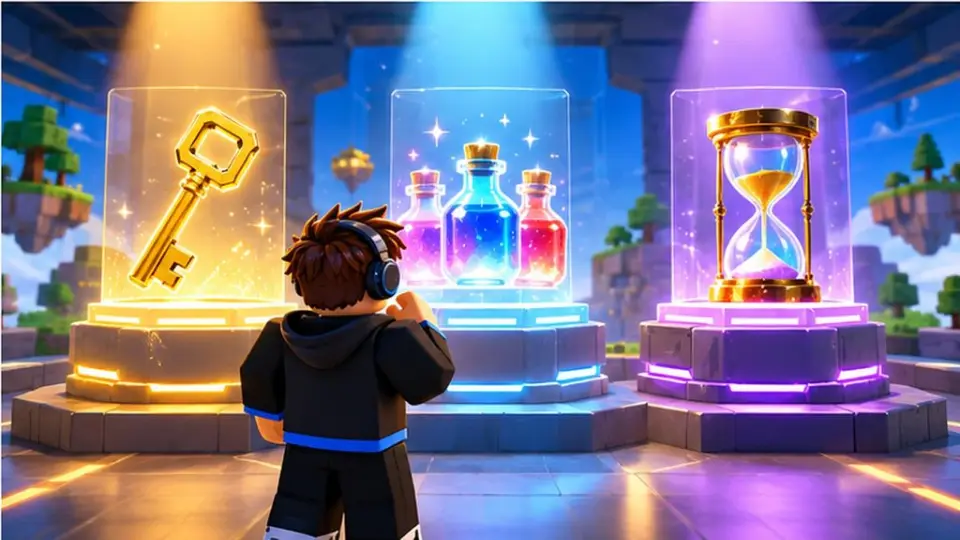
When players spend Robux inside an experience, the creator receives a share. That sentence covers most of how Roblox pays creators, but the details matter, because the three main tools behave very differently. Game passes are bought once. Developer products are bought repeatedly. Premium Payouts are earned without any purchase at all. Understanding which tool fits which situation is the difference between an experience that feels fair and one that feels like a vending machine.
This guide explains each tool, how it is set up, what it is good for and where creators commonly go wrong.
Game Passes: One Purchase, Permanent Benefit
How they work
A game pass is created from the creator dashboard and attached to a specific experience. You set a name, an icon, a description and a price in Robux. Inside the experience, a script checks whether the player owns the pass and grants the benefit. The player pays once and the pass stays on their account.
What they are good for
- Permanent cosmetics such as trails, auras or special animations.
- Access to a VIP area, a private server feature or an extra game mode.
- Quality-of-life upgrades such as a bigger backpack or faster walking speed.
- Supporter passes that simply say thank you and show a badge.
Common mistakes
The most frequent error is locking core gameplay behind a pass. If the experience is not enjoyable without it, new players leave before they ever consider buying. The second error is selling a pass whose benefit is not actually implemented or stops working after an update. Players remember that, and reviews reflect it.
Developer Products: Consumables and Repeat Purchases
How they work
Developer products are also created from the dashboard, but they are designed to be purchased many times. Each purchase triggers a receipt that your script must process, and Roblox expects you to confirm that the player received what they paid for. Typical products include currency packs, extra lives, revives, temporary boosts and loot crates.
What they are good for
- Experiences with a repeating loop, such as simulators, tycoons and survival rounds.
- Situations where a player wants to skip waiting rather than skip playing.
- Seasonal or limited items that create a reason to return.
Common mistakes
Developer products reward careful balance. If the product is too powerful, paying players dominate and everyone else quits. If the receipt handling is broken, players pay and receive nothing, which generates refund requests and complaints. Test every product on a private server before it goes live, and keep the purchase flow simple.
Premium Payouts: Earning From Engagement
How they work
Roblox Premium is a paid subscription for players. When a subscriber spends time in your experience, Roblox credits you with Robux in proportion to their engagement relative to other experiences they visit. You do not need to add a script, create a product or change anything. The payout appears in your earnings automatically.
What they are good for
Premium Payouts favor experiences that keep players around: social hangouts, role-play worlds, building games and anything with daily reasons to log in. Because the payout depends on time rather than purchases, it rewards good design even in experiences that sell very little.
Common mistakes
Some creators try to inflate play time with idle rewards or mechanics that discourage leaving. Roblox monitors engagement quality, and experiences built around artificial retention tend to lose players, ratings and eventually payouts. Build something people want to stay in, and the payout follows.
Choosing the Right Mix
Most successful experiences use all three tools, but not equally. A short obstacle course might offer a few cosmetic game passes and nothing else. A simulator might lean heavily on developer products. A social world might earn mostly from Premium Payouts. The right mix follows the shape of the experience.
A simple way to decide:
- Ask what players enjoy most. That is the part you should never sell.
- Ask what players would pay to show off. That is a game pass.
- Ask what players would pay to skip or repeat. That is a developer product.
- Ask how long players stay. That tells you how much Premium Payouts will matter.
From Robux to Real Money
Robux earned through these tools accumulates in your account. You can spend it on the platform, including on advertising for your own experiences, or hold it. Creators who reach the published eligibility requirements can exchange a portion for real money through the Developer Exchange program. The minimum balance, the exchange rate, the account requirements and the payment methods are all defined by Roblox and are updated from time to time, so the official documentation is the only reliable source for current numbers.
Expectations should stay realistic. Many creators never reach the exchange threshold, and most who do reach it only after months or years of steady work. The tools described here are not a shortcut. They are the standard, platform-supported way that effort inside Roblox turns into Robux, and for a small number of dedicated creators, into income.
This article is for informational purposes only. It is not affiliated with, endorsed by, or sponsored by Roblox Corporation. Monetization tools, payout rules and exchange requirements are defined by Roblox and may change at any time.
 Roblox for Beginners: How the Platform Works and How Creators Build a Presence
 5 Legitimate Ways Creators Earn Robux on Roblox